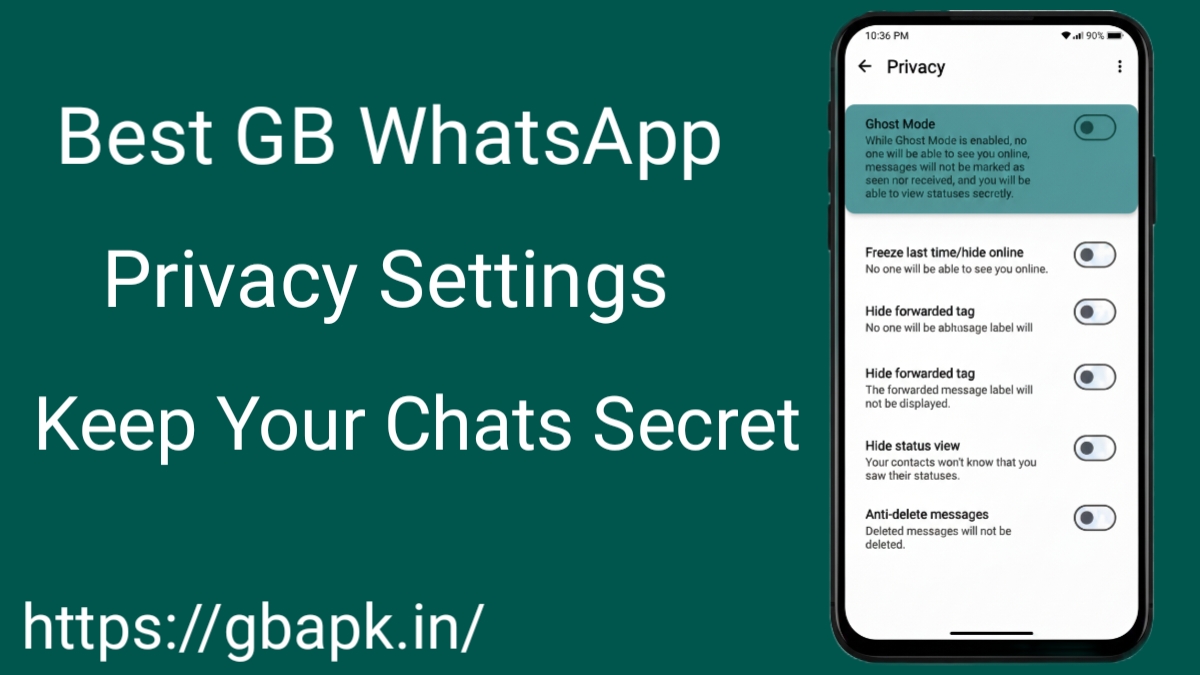
We all want our personal chats to stay private. GB WhatsApp gives us many extra privacy options that are not available in the Official WhatsApp app. When these settings are used correctly, we can hide our activity, protect our messages, and keep our conversations safe from others. Below is an easy-to-understand guide explaining the best GB WhatsApp Privacy settings in simple words.
Hide Online Status for Complete Invisibility
One of the most powerful privacy tools in GB WhatsApp is the ability to hide online status. so no one can see when we are active or Online.
- Use WhatsApp without others knowing
- Remain invisible while reading or replying
- Avoid unwanted monitoring and interruptions
By activating this setting, we maintain total discretion while using the app freely.
Freeze Last Seen to Control Your Time
The Freeze Last Seen option lets us show the same last seen time all the time when we are online.
- People cannot see when we were last Online
- Avoid revealing real-time activity
- Helps avoid questions and pressure
This keeps our activity private and stress-free.
Disable Blue Ticks and Double Ticks Indicators
Blue ticks show when a message is read. GB WhatsApp allows disabling all tick indicators selectively.
- Hide Blue Ticks for chats and groups
- Disable Second Tick (delivery confirmation)
- Read messages without others knowing
This setting is very useful for private reading.
Hide Typing and Voice Recording Status
Normally, others can see when we are typing or recording voice messages. GB WhatsApp can hide this.
- Disable Typing… indicator
- Hide Recording Audio… notification
- Chat quietly without being noticed
This gives us more freedom while chatting.
Enable App Lock with Advanced Security Options
GB WhatsApp includes a built-in App Lock for securing access.
- Lock app with PIN, Pattern, or Fingerprint
- Prevent unauthorized access
- Protect chats even if the device is unlocked
This adds strong security to our messages.
Lock Individual Chats
For very private conversations, we can lock specific chats.
- Lock only selected chats
- Hide sensitive conversations
- Add extra protection where needed
This is helpful for personal or important chats.
Hide Photos and Videos from Gallery
Private photos and videos can be hidden from the phone gallery.
- Media stays inside GB WhatsApp
- No accidental exposure
- Cleaner and safer gallery
This keeps personal media truly private.
Control Call Privacy
GB WhatsApp lets us manage call settings for privacy.
- Hide call activity
- Block unknown callers
- Reduce unwanted calls
This helps avoid disturbances and tracking.
Anti-Delete Messages and Status Privacy
With Anti-Delete Messages, we can see messages even if the sender deletes them.
- View deleted messages
- View deleted statuses
- Keep full chat history
Combined with status privacy controls, we can restrict who views updates while retaining access to others’ content.
Choose Who Can See Your Status
Status updates should be visible only to selected contacts.
- Select specific contacts
- Hide status from unwanted people
- Share updates safely
This prevents unwanted viewers from watching our status.
Hide View Status for Anonymous Browsing
We can watch others’ statuses without them knowing.
- View statuses anonymously
- No view confirmation sent
- Maintain silent observation
This is useful for silent browsing.
Disable Forwarded Tag for Message Anonymity
Forwarded messages usually show a label. GBWhatsApp removes it.
- Hide Forwarded label
- Share content anonymously
- Better privacy when sharing content
This keeps message sharing simple and private.
Block Screenshots in Chats
To protect sensitive chats, GB WhatsApp can block screenshots.
- Block screenshots in private chats
- Protect personal information
- Increase privacy level
This is great for confidential conversations.
Customize Privacy Per Contact
GB WhatsApp allows different privacy settings for different contacts.
- Customize privacy per person
- Customize visibility settings
- Full control over visibility
This makes privacy more flexible and personal.
Hide Deleted Message Notifications
When someone deletes a message, GB WhatsApp can hide the notification.
- Clean chat screen
- No unnecessary alerts
- Better chat experience
This keeps conversations smooth.
Use DND Mode for Full Privacy
The Do Not Disturb (DND) Mode disconnects GB WhatsApp from the internet.
- Read messages offline
- No read receipts sent
- Disable internet access for the app only
This is useful when we want total silence.
Backup and Restore Chats Securely
GB WhatsApp supports safe backup options.
- Local encrypted backups
- Avoid cloud exposure
- Restore without data leaks
This ensures long-term data privacy beyond daily usage.
Conclusion
By using these GB WhatsApp privacy settings, we can enjoy chatting without worrying about exposure. These simple options help us hide activity, protect messages, and stay in control of our personal data. With proper settings, GB WhatsApp becomes a strong and reliable app for private communication.